








OpenAudible has been actively maintained since 2020, with real support, hundreds of five-star reviews, and more features than any other third-party Audible app.
What OpenAudible Does

Lightning Fast Conversion
Lightning fast conversion to MP3 and M4B audio formats

Export Options
Export your whole library to Excel, CSV, or JSON. Every title gets its own spreadsheet page with cover art and a link back to the book, and you can tile all your covers into a single poster for your screen or your wall.

Import Support
Supports importing mp3, m4b, and audiobook directories via Drag and Drop.

Split and Join
Split and join books by chapter, incredibly fast. Includes a one-setting split for Yoto cards.

Worldwide and Multilingual
Works with every Audible region, and speaks your language — English, French, German, Italian, Spanish and more.

Integrated Player
Includes convenient built-in audiobook player

Listen from Any Browser
A built-in, password-protected web server streams your own library to your phone, tablet, or another computer.

Audio to Text
Transcribe an audiobook and read, search, and quote it. Runs entirely on your computer — nothing is uploaded.

Tags and Book Info
Edit the metadata on any book, inspect its chapters and tags, and print a full report. Optionally pull in the bookmarks and notes you made in the Audible app.

Built for Screen Readers
Accessibility mode for blind and vision impaired listeners: textual progress instead of bars, adjustable fonts, and keyboard routes to everything a screen reader cannot reach.

Human + AI Support
Get answers instantly via the AI chat assistant, or email us — a real person responds, fast.

Streamline Process
Automatically connect, download and convert all your Audible book purchases
Why Download OpenAudible Today?
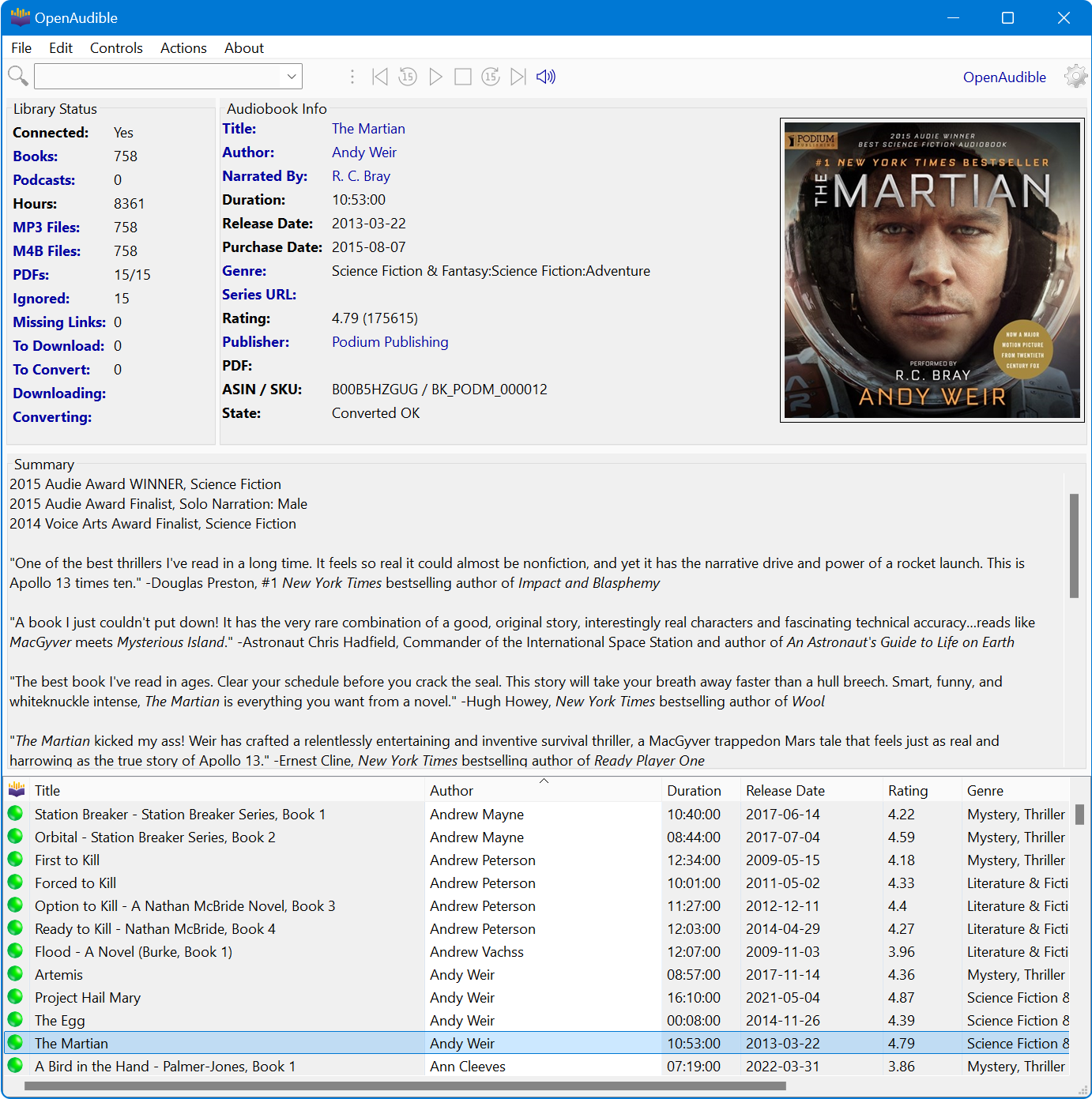
Few Reasons Why Users Love Us:
- Your library, forever: Downloaded books are yours to keep — even if Audible changes, you've already got the files.
- Every platform: Mac, Windows, Linux, and Docker. The only polished option for Linux and NAS users.
- Organized and searchable: Browse, search, and export your full collection from one app.
- Never start over: Books stay yours when you switch devices, players, or platforms.
OpenAudible is digitally signed, is free from ads, malware, and other unwanted programs.
Step-by-Step Guide to Using OpenAudible
Using OpenAudible is free to try and takes just a few minutes to get started.
500+ Five-Star Reviews
Download OpenAudible
Free to try — takes five minutes to install and connect.