Play Your Audible Books in BookPlayer on iPhone
BookPlayer is a free, open-source audiobook player for iPhone and iPad. It can sign in to an Audiobookshelf server, and OpenAudible's built-in web server answers like one. Point BookPlayer at OpenAudible and your whole library shows up with covers and chapters, ready to stream or download. There's nothing to copy by hand and no second server to run.
What you'll need
- A copy of OpenAudible (free download) with some converted books. Converting needs a license
- BookPlayer from the App Store, on an iPhone or iPad
- Tailscale set up on the computer, with Funnel on. It takes about five minutes: see Remote Access with Tailscale
- The computer running OpenAudible left on and awake while you browse and download
Steps
1. Get your Tailscale address
Follow Remote Access with Tailscale: turn on the
OpenAudible web server, add a Listener account for your phone, and run
tailscale funnel --bg 8000 (with your Web Server port, if you changed it
from 8000). Leave Listen On at
127.0.0.1. You end up with an address like
https://my-pc.tail1234.ts.net.
Use that address even at home. It works the same on your Wi-Fi and on cellular, so BookPlayer never needs a second server entry for when you leave the house, and the connection is encrypted everywhere.
2. Open Media Servers in BookPlayer
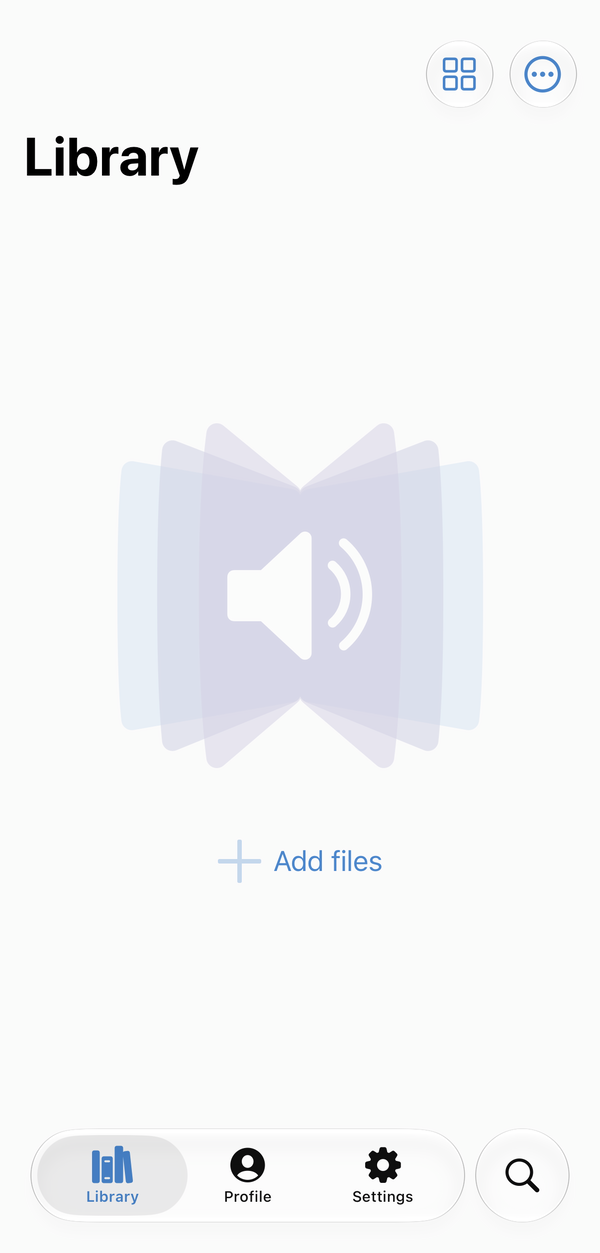
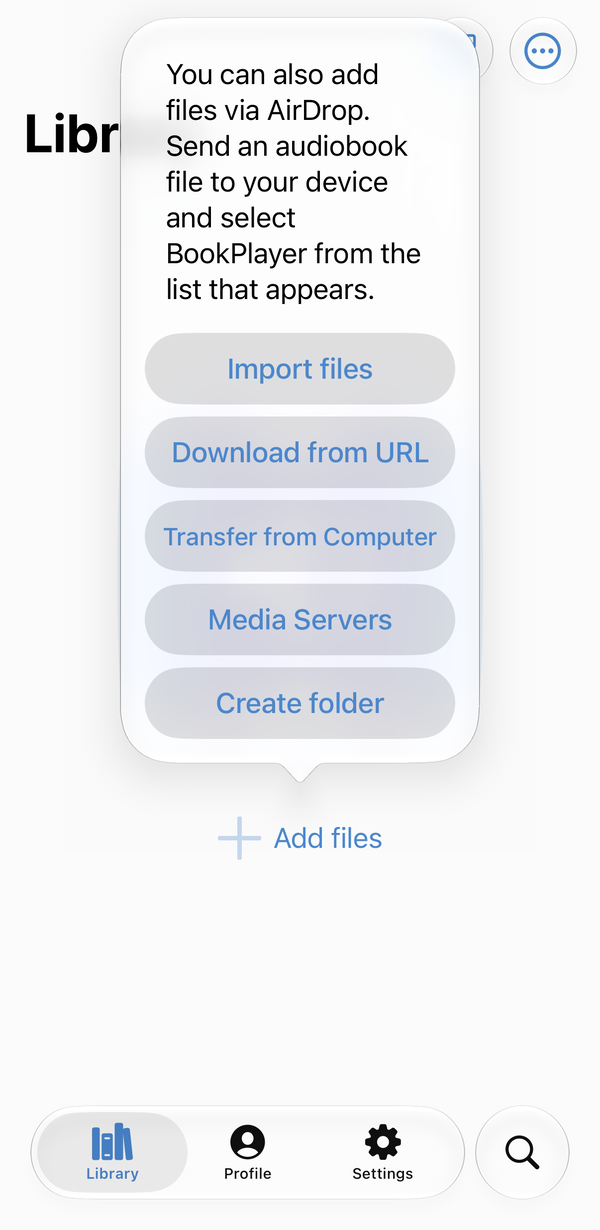
In BookPlayer's Library, tap Add files, then Media Servers.
3. Add an Audiobookshelf server
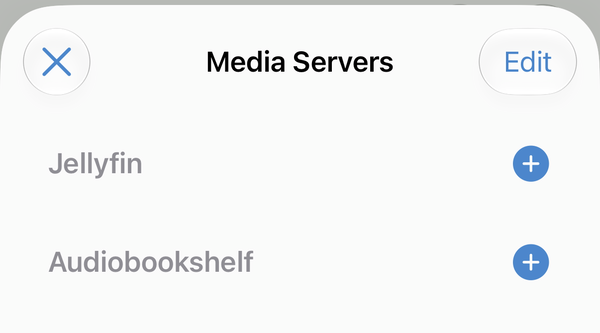
Tap + next to Audiobookshelf. OpenAudible is not Audiobookshelf, but it speaks the same language, so this is the one to pick.
4. Enter your Tailscale address
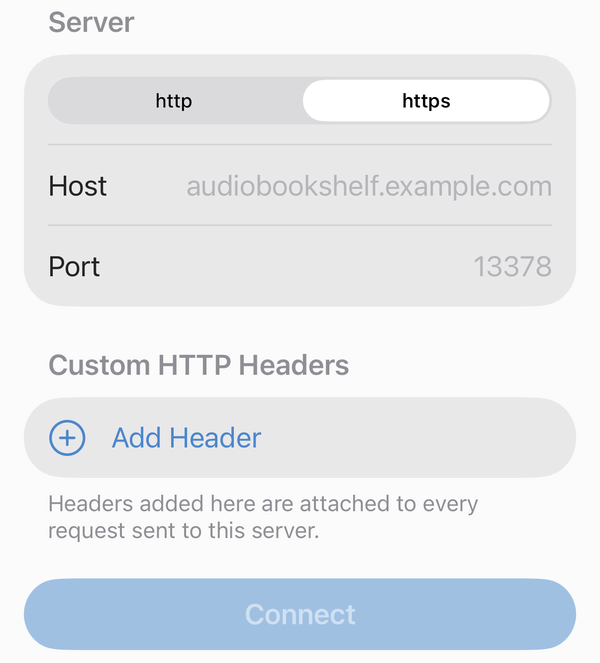
- Scheme:
https - Host: your Tailscale address without the
https://, for examplemy-pc.tail1234.ts.net - Port: leave it blank, or type
443. The grey 13378 is only a hint and isn't used.
Leave Custom HTTP Headers empty, tap Connect, and sign in with your Listener account.
5. Browse and listen
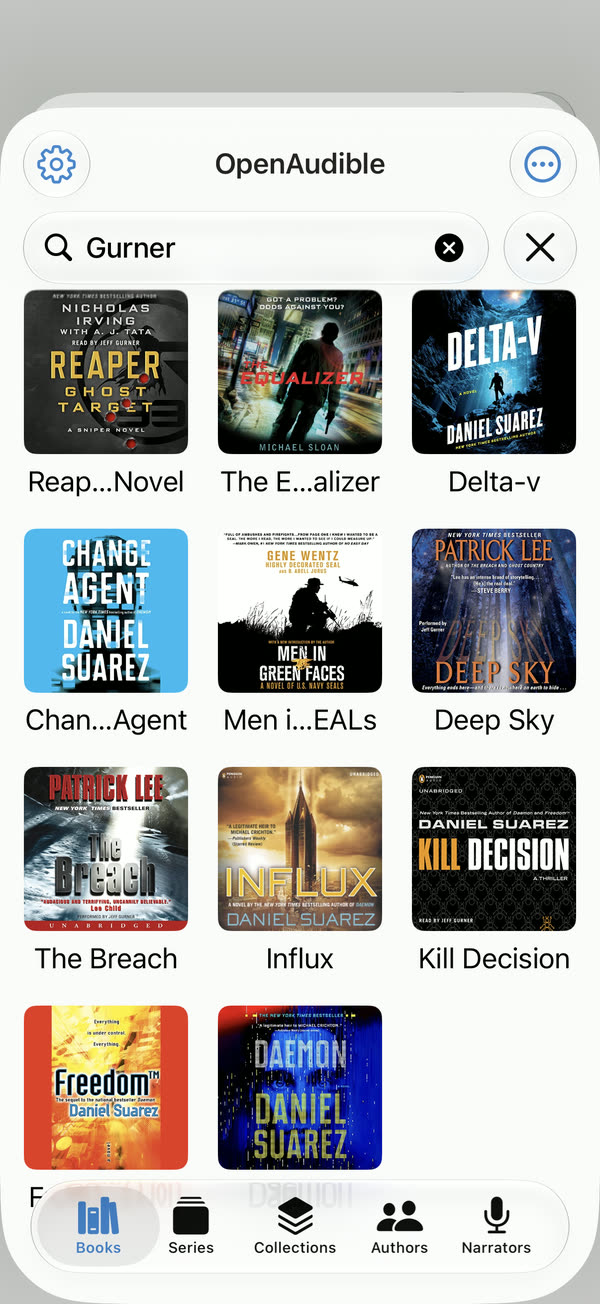
Your library opens under your library's name, with tabs for Books, Series, Authors and Narrators and a search box. Tap a book to bring it into BookPlayer. Your listening position syncs back to OpenAudible, so you can pick up in the OpenAudible web page where you left off on the phone.
What works and what doesn't
OpenAudible is not affiliated with Audiobookshelf or BookPlayer. Its web server covers what BookPlayer needs to browse, stream, download and sync progress, not every Audiobookshelf feature. The Collections tab, for example, stays empty. If something doesn't work, tell us, not the BookPlayer developers.
Common problems
- Can't connect. Open the Tailscale address in Safari on the phone first. If it doesn't load there, the problem is on the computer: OpenAudible must be running with the web server on, and Funnel must be on. See Common problems in Remote Access with Tailscale.
-
Loads in Safari, but not in BookPlayer. Check the scheme is
https, and the host has nohttps://in front and no/at the end. - Wrong password. Passwords can't be shown again. Set a new one with Edit... on the account in the Web Server tab.
Download OpenAudible to put your library in BookPlayer, or see the Web Server documentation for accounts and roles.
Something unclear, out of date, or a tutorial you'd like to see? Send feedback or request a tutorial →